Here’s a breakdown of the key elements you control when creating a manual report, and how each helps you shape smarter insights:
 AI Platforms: Choose Where You Want to Analyze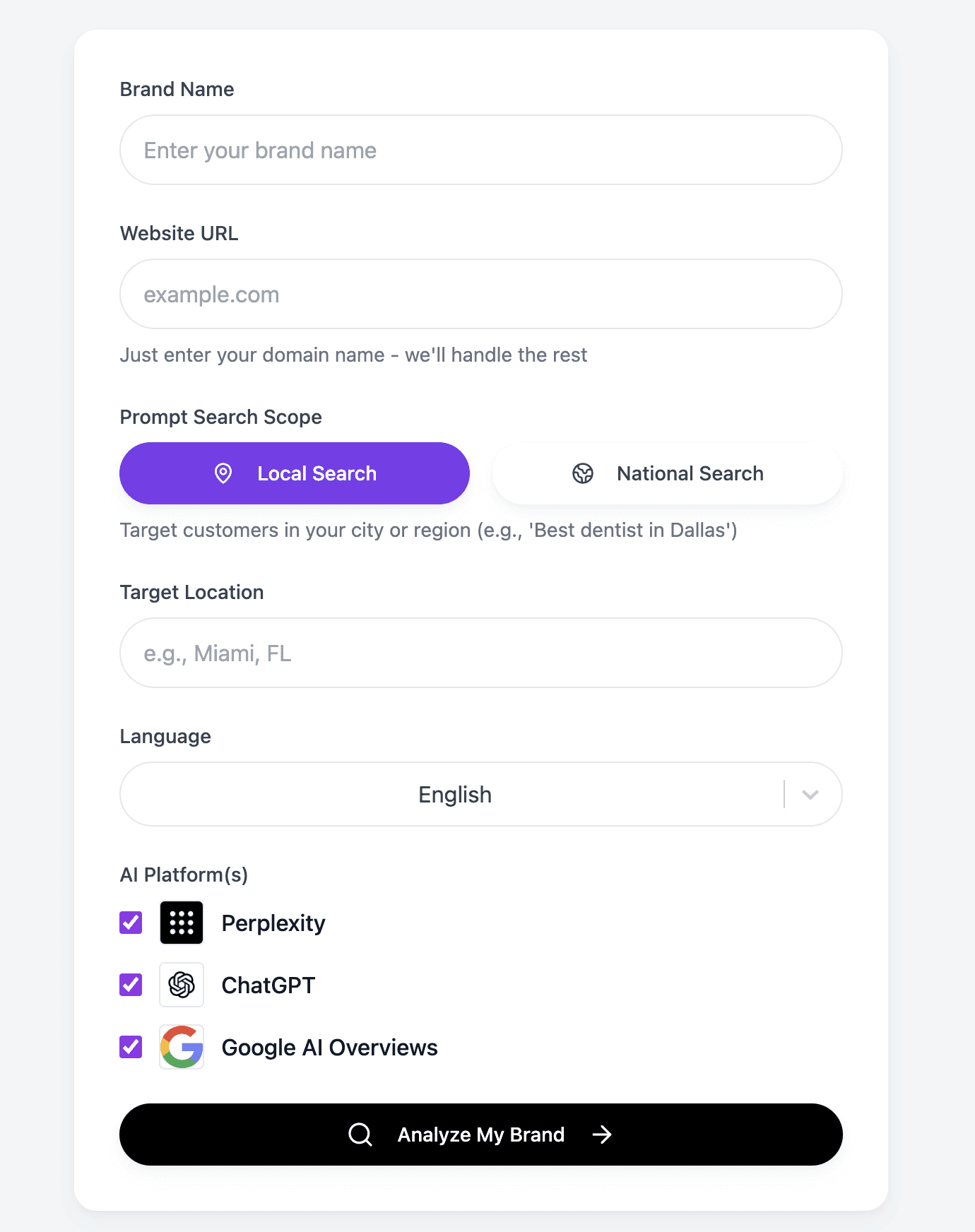
You can select one or multiple platforms from:
ChatGPT
Perplexity
Google AI Overviews
Why this matters:
Each AI platform behaves differently and pulls from different sources.
Running a report on multiple platforms helps you understand where you're performing well and where you're invisible.
Or, you might want to focus only on one (e.g., ChatGPT) if that aligns with your current strategy.
Example:
 You could create a report that only checks your visibility inside Google’s AI Overviews for SEO alignment, while running a separate one focused solely on ChatGPT for brand mentions.
 Location / Language: Analyze by Market or Region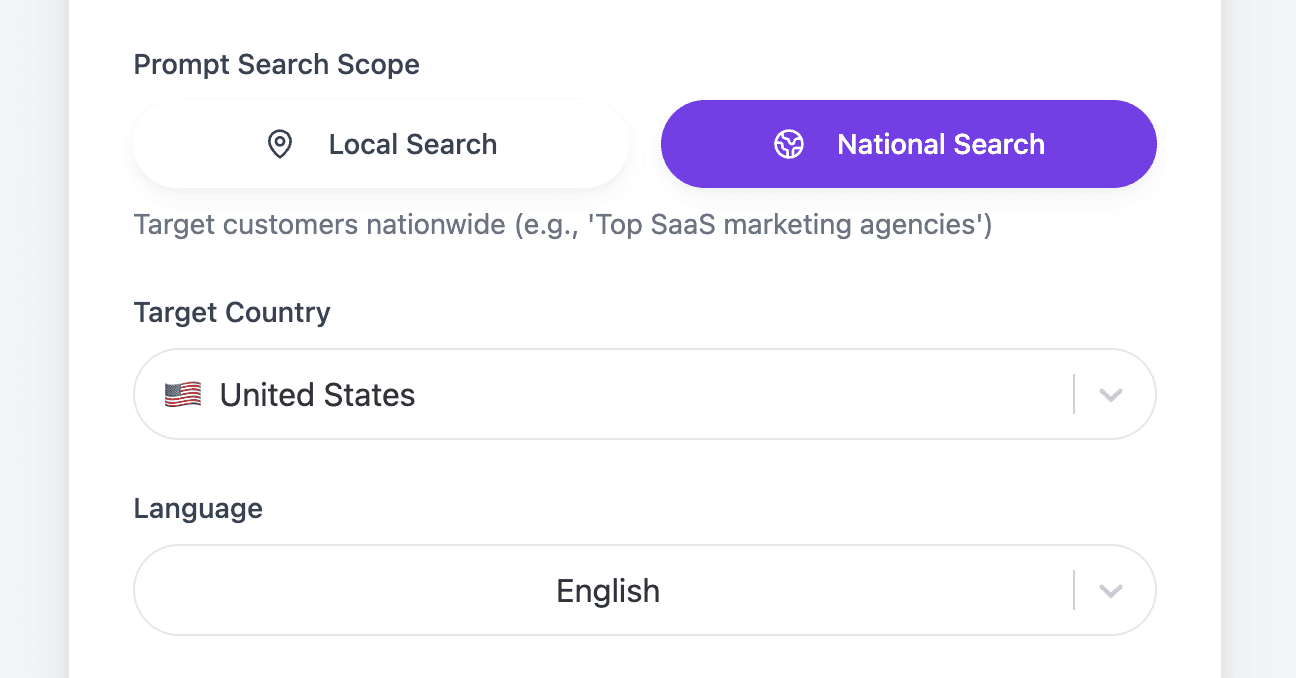
You can define whether your prompts target:
Global audiences (English-language default)
National markets (specific countries)
Local queries (city or region-specific)
Other languages (depending on prompt language)
Why this matters:
AI answers often change based on geographic context. This flexibility helps you understand how you’re performing where it matters most to your business.
Example:
A U.S. brand might run prompts like “best marketing agencies in New York.”
A LATAM brand might run prompts in Spanish focused on “herramientas de IA para ventas en México.”
Prompt Categories: Choose Industry-Specific or Custom QuestionsPrompts are the questions people might ask AI platforms.
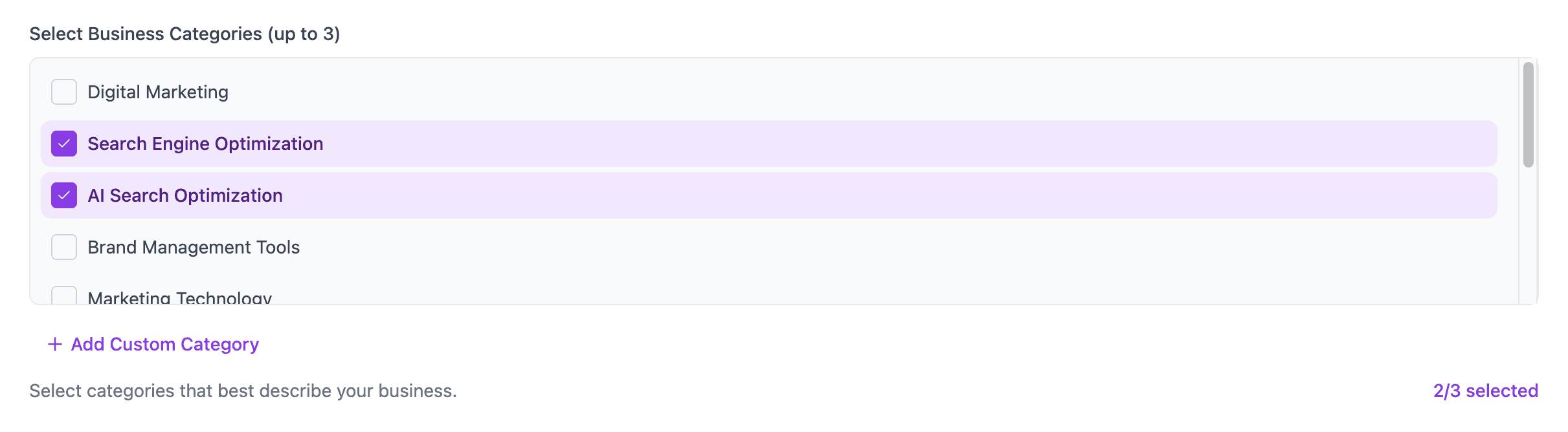
You can:
Use AI generated categories tied to to your business.
Or write your own custom categories to tailor the analysis to your niche, product, or target user questions.
Why this matters:
Different industries require different language, keywords, and intents. This flexibility lets you focus only on questions that are truly relevant to your business goals.
Example:
A skincare brand might choose prompts around "best face creams" or "anti-aging products."
A B2B SaaS might ask about "top AI tools for marketing" or "best CRMs for startups."
 Number of Prompts: Control the Depth of Your Analysis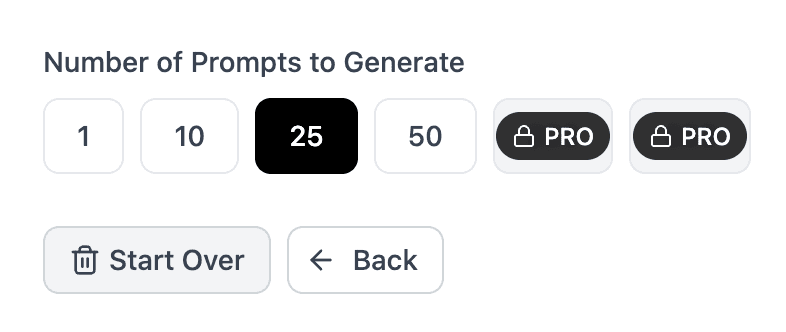
You choose how wide or narrow your report goes:
Small Reports: 10-15 prompts for quick audits or focused topics
Medium Reports: 25-50 prompts for balanced tracking
Large Reports: 50+ prompts for comprehensive industry coverage
Why this matters:
More prompts mean more data and a broader visibility picture. Smaller prompt sets help you quickly validate or spot-check specific strategies.
Example:
A startup might begin with just 10-20 prompts to understand baseline visibility.
An enterprise might track 100 prompts monthly to monitor shifts across multiple products or markets.
 Why This Flexibility Matters
These controls let you design reports that match your exact objectives — whether you’re testing a new market, tracking competitors in a niche, or monitoring performance across AI platforms.
Here’s how you might use this flexibility strategically:
| Objective Report Setup Example |
Broad Market Overview | 50 prompts, all platforms, global focus |
Competitor Benchmarking | Focused prompts, ChatGPT only, U.S. market |
Content Gap Discovery | Industry prompts, Google AI, specific country |
Localized Performance Tracking | Local prompts, Perplexity, Spanish language |
 Pro Tip:
You can run different types of reports side-by-side and compare them within your Brand Dashboard. This lets you slice and analyze trends by platform, geography, category, or prompt type — giving you a complete and flexible AI visibility strategy.
 Need More Help?
Check out these next steps:
Or contact us: [email protected]
